Docling Studio
A visual document analysis studio powered by Docling.
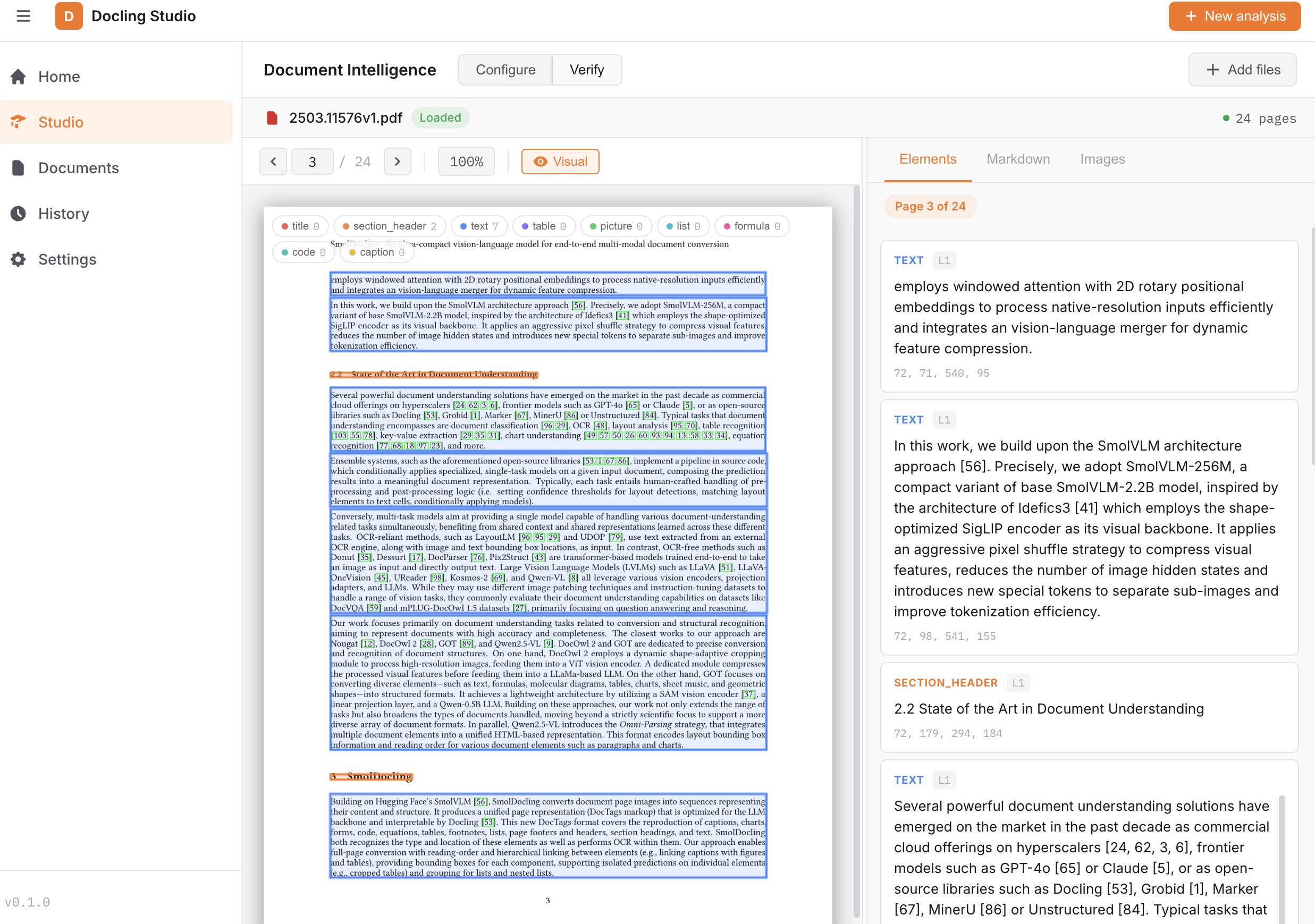
Upload a PDF, configure the extraction pipeline, and visualize the results — text, tables, images, formulas, bounding boxes — all from your browser.
 { width="600" }
Features
- PDF viewer with page navigation, bounding box overlay, and resizable results panel
- Configurable Docling pipeline — OCR, table extraction, code/formula enrichment, picture classification & description, image generation
- Bounding box visualization — color-coded element overlay directly on the PDF
- Chunking — split extracted content into semantic chunks (hierarchical, hybrid, or page-based) with configurable token limits
- Markdown & HTML export of extracted content
- Document management — upload, list, delete
- Analysis history — re-visit and open past analyses
- Feature flags — capabilities adapt to the conversion engine (local vs remote)
- Upload limits — configurable max file size (
MAX_FILE_SIZE_MB) and max page count (MAX_PAGE_COUNT) per document - Rate limiting — configurable requests per minute per IP (
RATE_LIMIT_RPM) - Deployment modes — self-hosted (default) or HuggingFace Spaces (with disclaimer banner)
- Health endpoint —
/api/healthreports engine type, deployment mode, and database status - Dark / Light theme and FR / EN localization
Tech Stack
| Layer | Stack |
|---|---|
| Frontend | Vue 3, TypeScript, Vite, Pinia |
| Backend | FastAPI, Docling 2.x, SQLite (aiosqlite) |
| CI | GitHub Actions (lint, type-check, test, build) |
| Infra | Docker Compose + Nginx |
Quick Start
Open http://localhost:3000 and upload a PDF.
Note
The first analysis takes longer as Docling downloads its ML models (~400 MB). Subsequent runs are fast.
See Getting Started for local development setup.
License
MIT — Pier-Jean Malandrino